Dell Technologies
Reimaginging Dell's support system that meets users where they are.
Case Study
10 minute read
— Contract Product Designer
TEAM
6 Product Designers
2 Internal Stakeholders
— Product Manager, Sr. Product Designer
TIMELINE
2025 -2026 (Aug - Jan)
SKILLS
Complex Systems
AI UX
Product Strategy
introduction
Overview
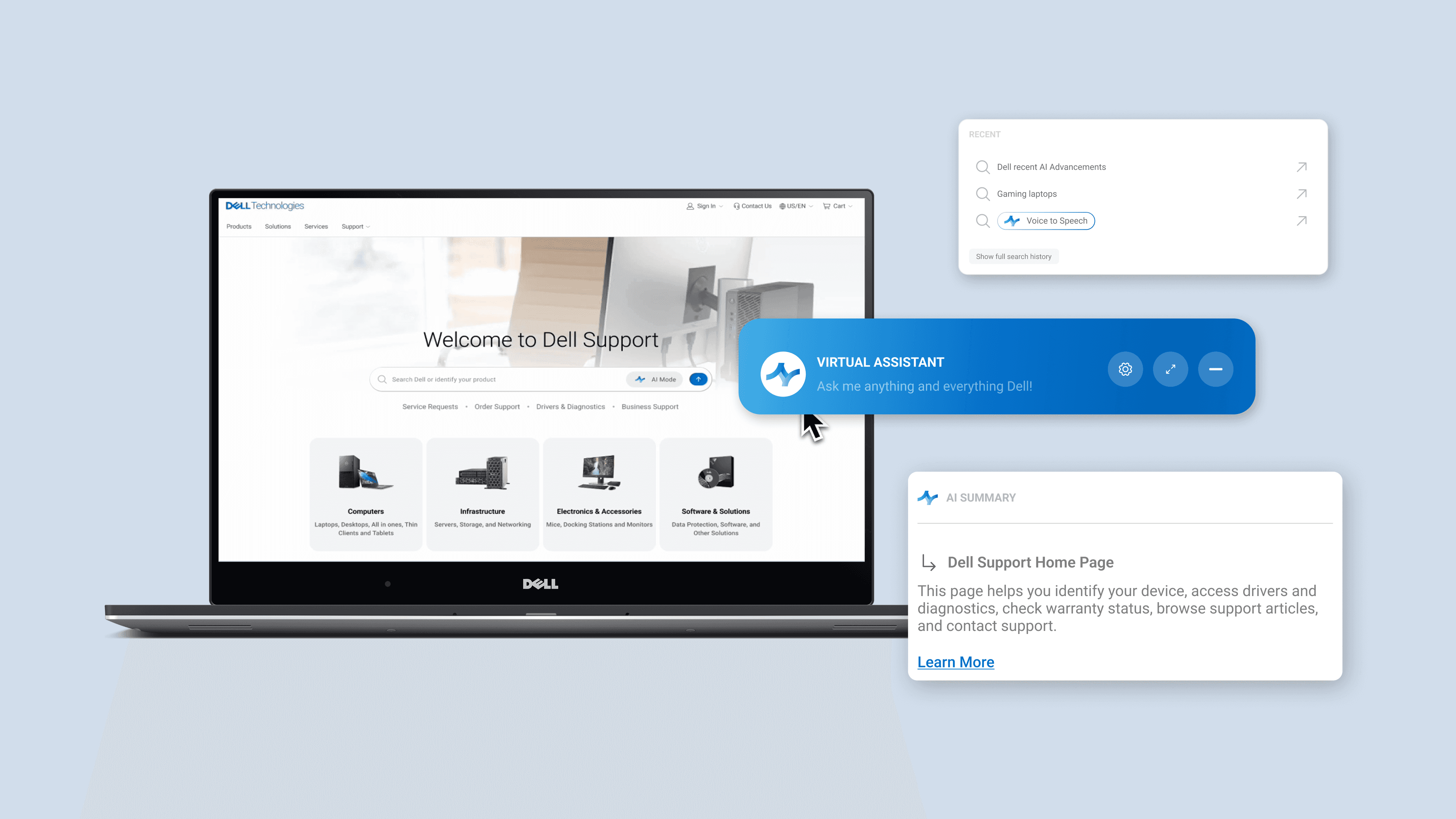
Over the fall 2025 semester, I worked with Dell to reimagine their online support experience, exploring how AI could unify fragmented entry points like search, chat, and self-help into a cohesive, guided resolution system that reduces user friction while preserving trust, transparency, and user control.
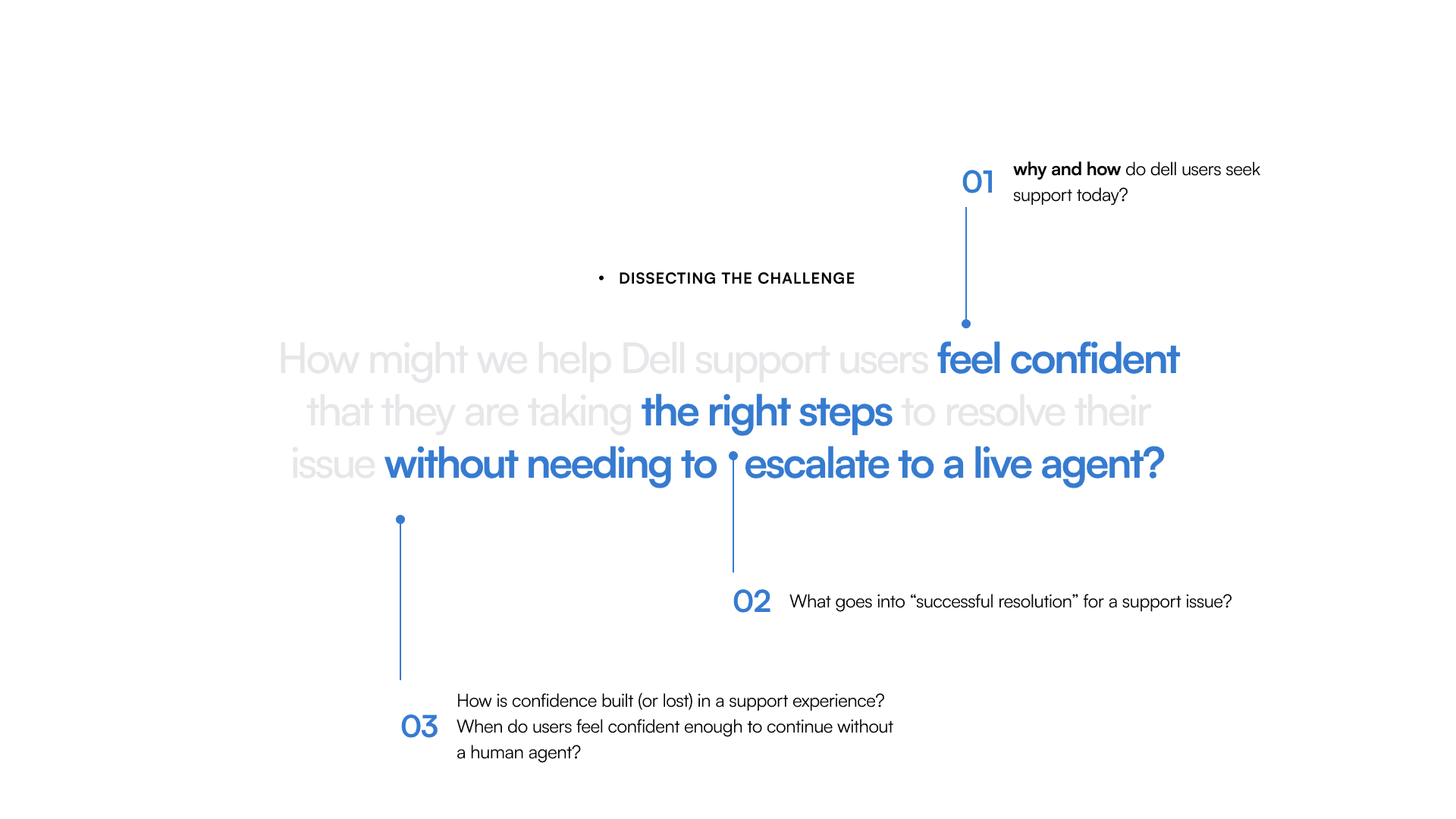
With this in mind, the team approached us with the following question:
preview
home page



guided resolution
An AI-led troubleshooting experience that breaks complex issues into clear, actionable steps with built-in diagnostics and next actions.
introduction
Understanding the project scope
First, I dissected the project scope into 3 high level insights that drove the direction of our research and design
introduction
Research Method Overview
To ground our design decisions, we began with a focused research phase to understand how users currently navigate Dell’s support ecosystem and where breakdowns occur. We believed these 3 method gave us the most insight into Dell's support system and how to translate this into design!
IA
Competitor Analysis
User Interviews + Survey
research
Information Architecture
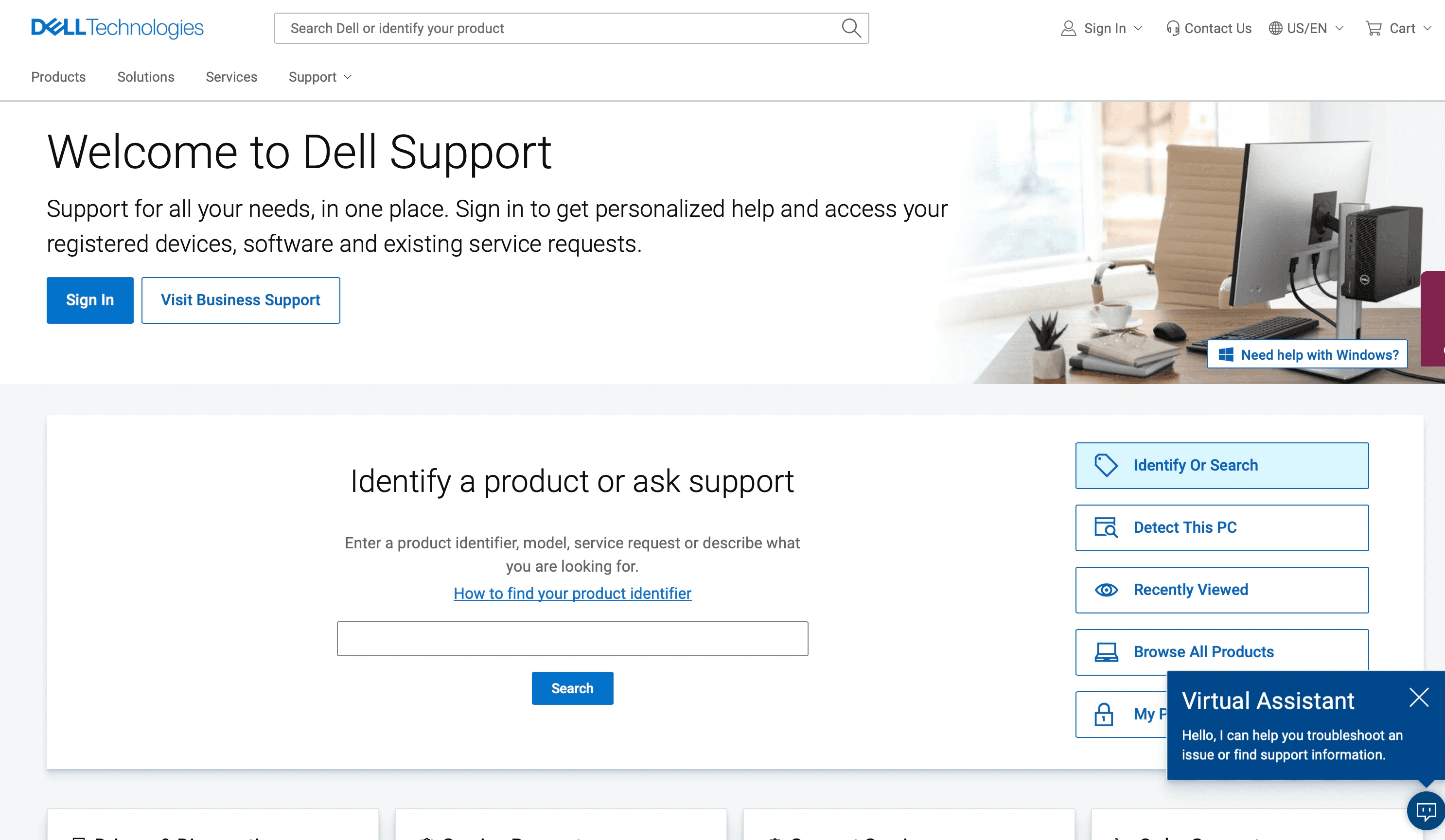
I began by walking through Dell’s current Support homepage as a user, tracing how someone navigates between search, chat, self-help, and live support.
research
CTA Mapping
This structural walkthrough revealed where users hesitate—but I also wanted to understand why. To go deeper, we conducted a heat map analysis to examine how the information hierarchy and calls-to-action guide (or misguide) users at each decision point.
Clarity
57%
The heat map shows attention scattered across multiple elements, with no dominant focal point guiding the user’s eye. Combined with interview and survey findings, this suggests that users are not immediately sure where to start.
Focus
60%
the page distributes visual weight across search, chat, product lookup, and support links simultaneously. This split attention reinforces decision fatigue.

research
User Interviews
Scenario 1
Understanding User Base
Scenario 2
User Interview Guide
To test the effectiveness of the current support experience on varying user groups, my team and I constructed two structured walkthrough scenarios for interviewees.
Scenario 1 focused on how users interacted with Dell’s AI or chatbot experience.
Scenario 2 evaluated how users navigated the broader support ecosystem, including search, self-help, and escalation pathways.
Technology Usage
Experience with Dell
Demographics
Background
Technical Expertise
Virtual Assistant Experience
30
interviewees
users grouped by
Tech usage
Experience with Dell
Demographics
Technical expertise
Virtual Assistant experience
Scenario 1
Navigating Battery Issues
Observe how easily users find troubleshooting resources
Identify whether users prefer FAQs, forums, or driver downloads.
Assess emotional tone
Support Page
Navigating Wifi Issues
Virtual Assistant
These scenarios allowed us to observe natural behaviors; where users hesitated, what they ignored, and when they chose to escalate.
research
Survey Data
While these interviews provided deep, nuanced stories of friction, we needed to know if these experiences were shared by the broader Dell community. To complement these qualitative insights, we surveyed over 200 respondents to understand how the support ecosystem is perceived at scale.


Data Engineer @ Capital One
Technical User
No Dell Experience
Student @ UC Irvine
Non Technical User
No Dell Experience
insights
Visual Support Journey
To understand the emotional cost of our research, we mapped the end-to-end support journey, tracking the shift from initial optimism to eventual friction across our two primary user segments.
💡 The journey concludes in a "break in technical experience" where the outcomes diverge sharply based on user background
insights
Research -> Ideation
Rather than jumping directly into solutions, we first distilled our research into actionable design tensions. By clustering insights across methods, we identified clear opportunity areas that would guide the system’s evolution.
Solution
As we transition into design assets, I wanted to keep a question in mind :
Given these fragmented user pathways and unclear entry points, how might we design a support experience that guides users to the right solution without forcing them to choose where to start?
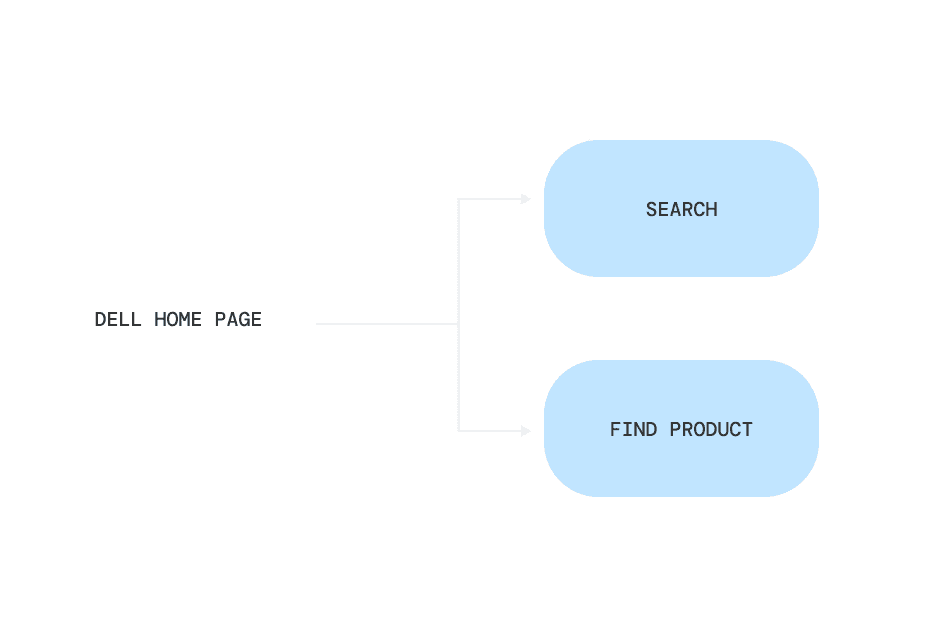
Simplified IA Path
"How do I fix this problem? Where are my first steps?"
We shifted from multiple parallel options to a guided hierarchy:
Search — for users ready to describe their issue
Find Product — for users who need contextual grounding first
When testing how this would look visually, we began with this first iteration.
When expanded, this module revealed additional AI-related elements, including chatbot access and recent activity. The design relied on clear component hierarchy: a persistent primary search field, paired with a collapsible secondary container that housed supporting features without competing for visual priority.

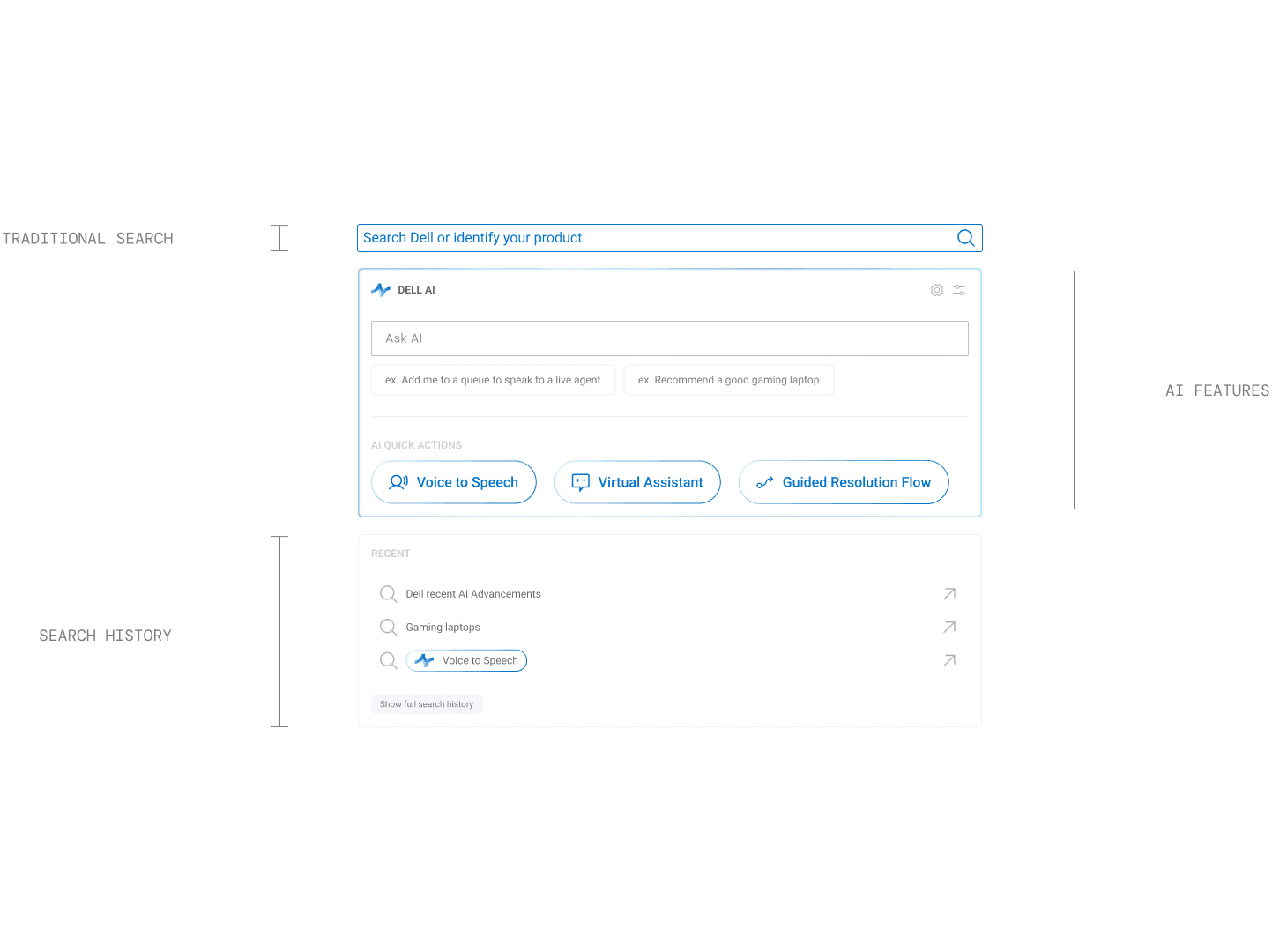
Iteration 01 showing each of the 3 modules attached to the search bar
additive, not integrated
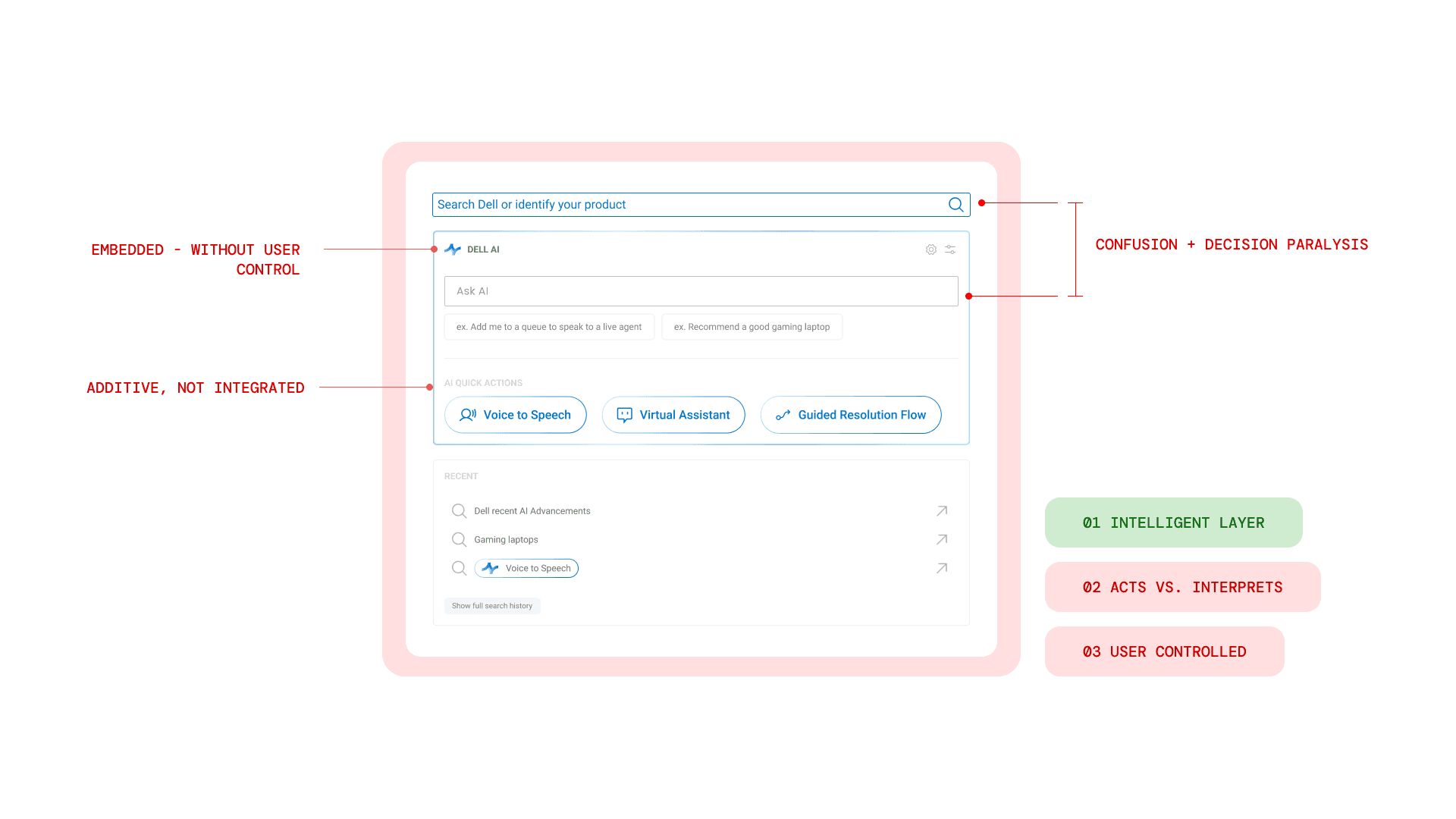
Iteration 02
UI Decisions → UX Impact
multiple decision points
one decision

ai toggle states
AI Mode
AI Mode
AI Mode
Toggle States
inactive, hover, active
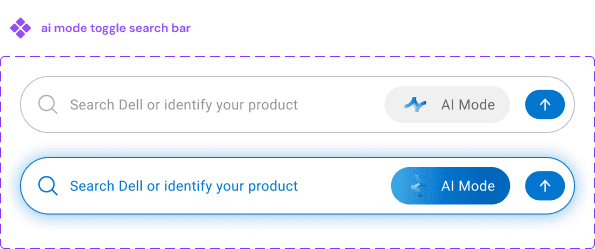
Search Bar
active AI mode is very distinctive
design assets
search results
Enhanced Search
The first feature we rolled out under Dell AI reimagines the traditional search experience.


Rather than returning a static list of links, the redesigned search results layer introduces 3 core capabilities:
Quick Answer
Follow up suggestions
Optional actions inline
guided resolution
Step by Step Guidance
While intelligent search supports users who arrive ready to articulate their problem, not everyone begins there.
For users who feel less certain (or who need more clarity before taking action) we introduced a more guided support experience. This second feature provides heavier assistance, breaking issues down step by step and reducing the need for self-diagnosis.

